Let’s start with a little background. I am a software geek from way back and retired as a software architect. So I like tinkering with software and using computers for all sorts of stuff.
I am now starting to get into Dioramas and realised that it would be beneficial to have lots of small items to add depth and character to my Dioramas.
I know that you can purchase many things to help in this area, such as oil drums, farm machinery, animals, people, the list goes on and on. But to buy them in any number, the costs ramp up. I also live in Cyprus, so delivery costs for even small Items can be expensive.
So I am considering investing in a small 3D printer to print in 1:35 scale a lot of these items. So I have some questions to anyone out there who is already doing this.
Any recommendations for a 3d printer? It must have a small footprint. I am not bothered about speed; I only plan to use a single colour filament
Does anyone know of any sites where you can download templates and the files needed to print
Best software to use for creating the items
Any online videos or courses that I could utilise to help with the learning curve
How steep is the learning curve
And finally, is it worth the time and investment needed
Hello!
The short answer is YES!
Now for the longer answer… First - forget about the filament. For model building we’re talking about resin printers - the ones that harden liquid resin layer by layer, only those give you the resolution and surface finish you need.
My approach here was this: I don’t want a 3D printer, I decided I’ll concentrate on the right design, and once I have my design right, I’ll always find somebody with a printer and some free time on it - and so far I was right.
Now for 3D design I recommend OnShape - that’s a very good web based 3D design software that can be used for free.
If you look for “stuff” for dios I recommend this page:
My friend there has a lot of very useful stuff you might want for dios. He can also print your designs for you.
You see, if you buy a printer it will take up the space, you will have to work with smelly chemicals and once you have your design right you will have to figure out how to print it - I heard the first designs take several tries to get right, beforte you learn the machine.
Another thing is downloading existing designs from the web - some of them might not be printable using your printer. That’s when you have to work on them, or sometimes draw your own, it’s faster this way.
I hope this helps - good luck with your dioramas and have a nice day!
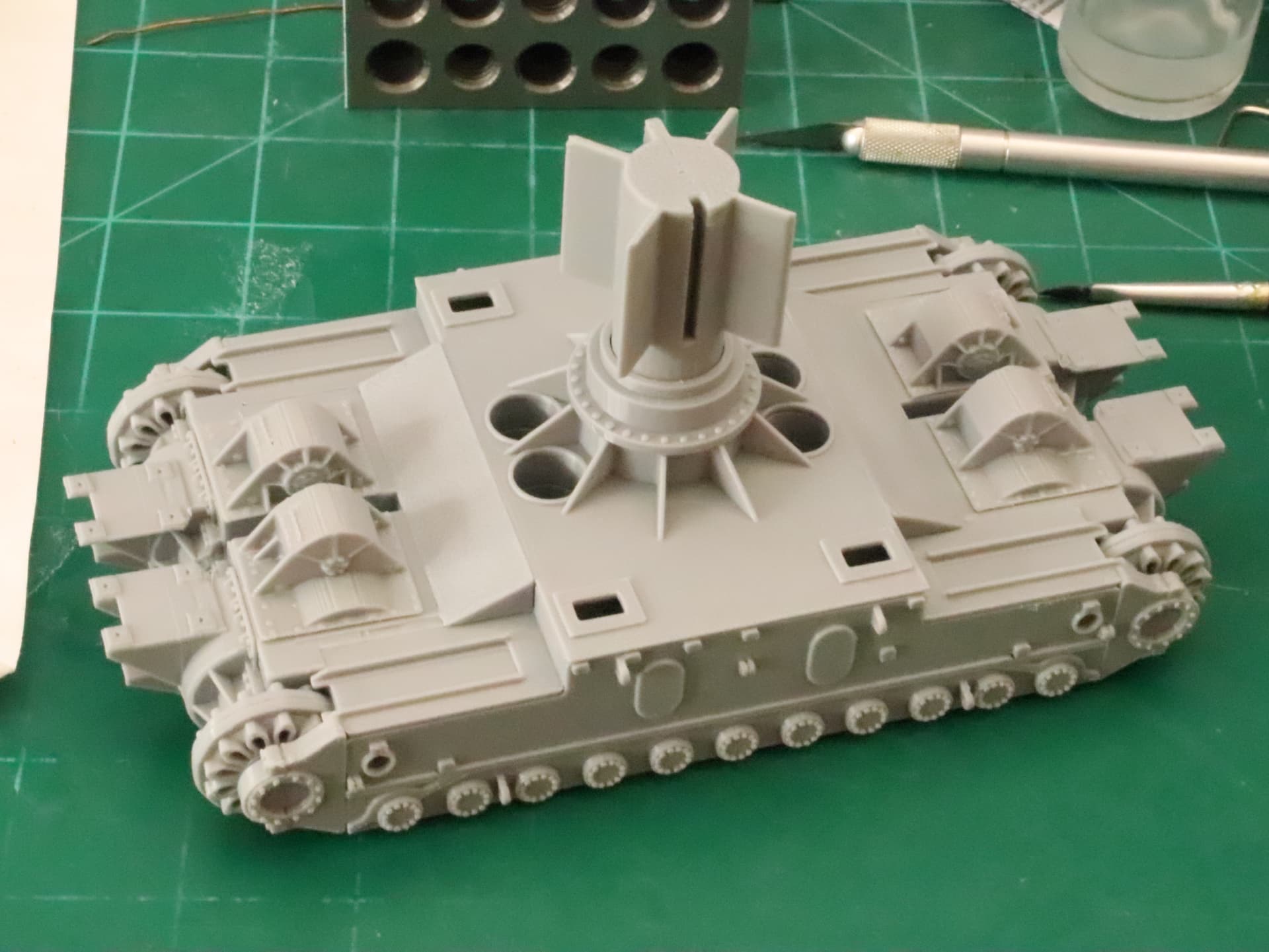
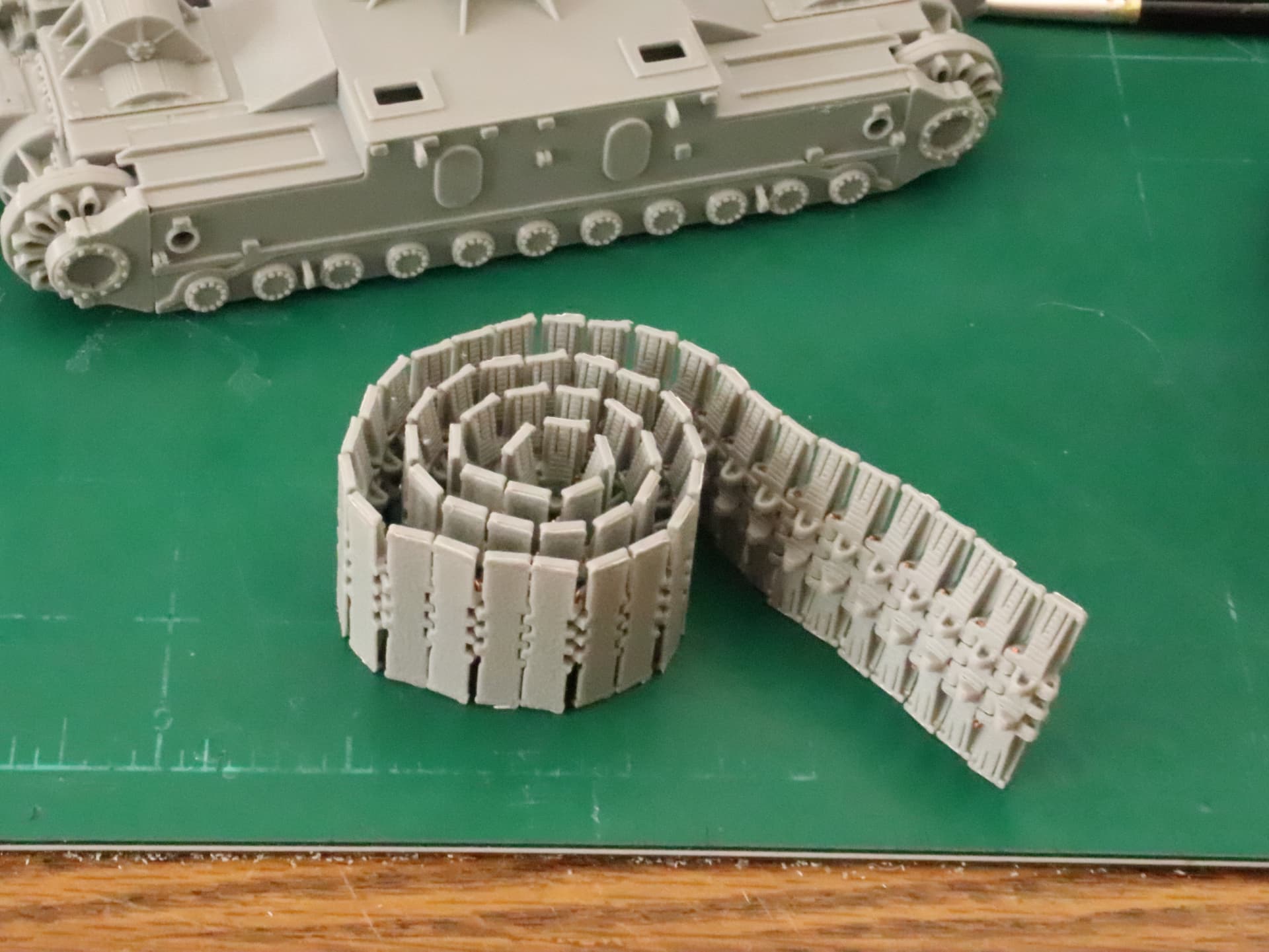
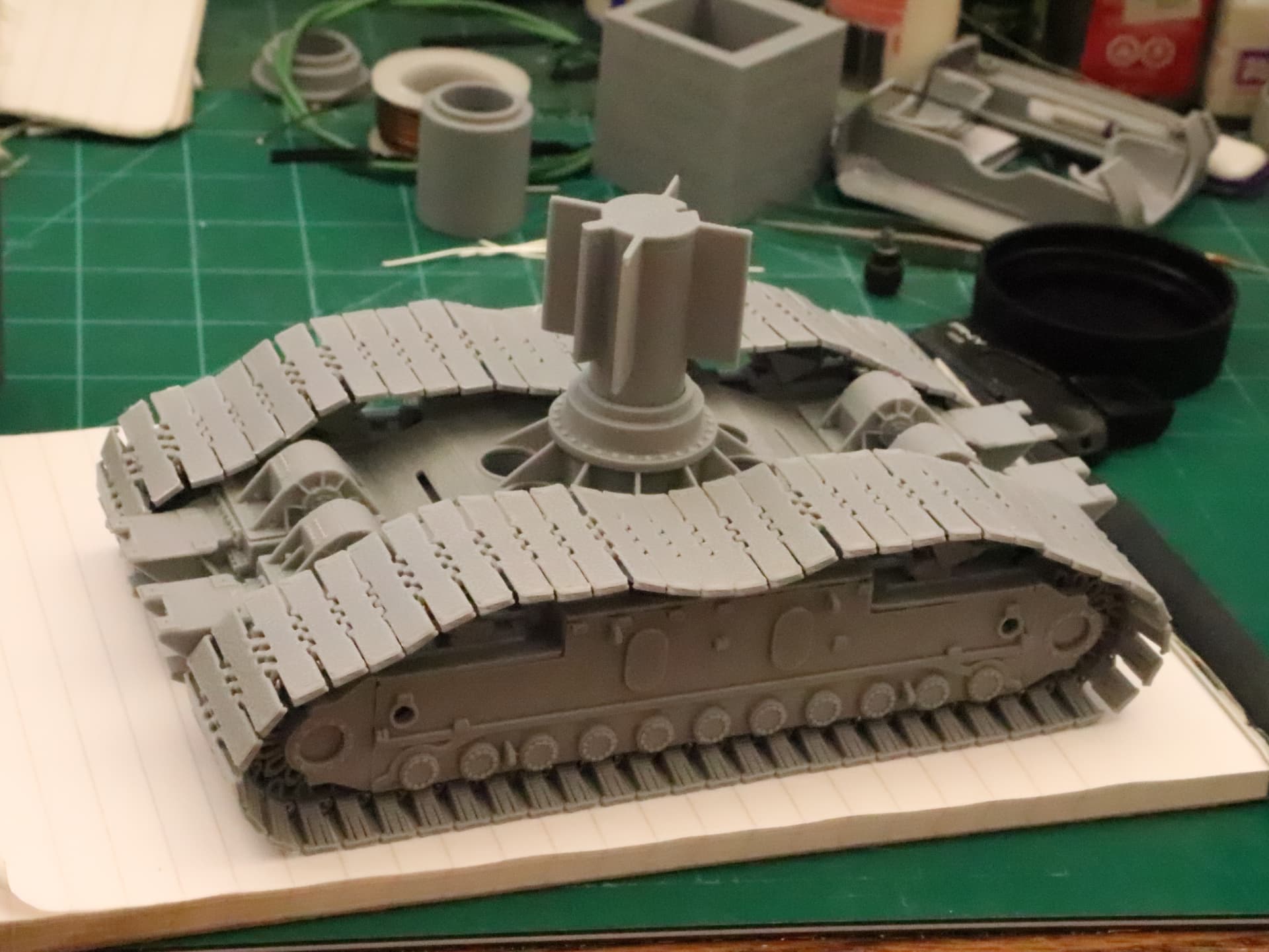
That is a Truck for a 1966 Crawler Transporter, Used to haul Saturn V rockets to the pad… It is designed in Solidworks and printed in 1/72nd scale on a Bambu Labs X1C… Core X-Y FDM printer…
That is ALL FDM, in ABS filament… NO RESIN at all.. Straight off the printer plate to assembly…
You see the thing with 3D Printing is you can model anything you want to… You are not subject to anyone else’s opinion of what is worth modeling… Or what your going to have to pay for it…
As far s software, yes there is a learning curve, and I would STAY AWAY from any of the online design softwares, Invest in yourself with a standalone software package… Solidworks is best in my opinion closely followed by Rhino… There are others capable of doing very nice work but those two are head and shoulder above the rest…
The best advice I can give is do your research and learn about the process, a 3D Printer is a tool that every serious modeler should have…
Start with a good Core X-Y filament printer and grow into a decent smaller Resin printer for that small stuff that Filament will not print well…
Ignore anyone that tells you it’s not worth it… it’s like someone telling you that you live in the city and don’t need a drivers license…
Thanks, for the moment I have decided against a resin printer it just sounds too much of a faff. As my work area is in the house my wife would not react well to the chemicals used in resin printing and the cleaning up. So for my first foray into 3d printing I am going with the Bambu A1 mini. Though I will fit a 0.2mm head on it to get better detail. As my creative skills improve and I start to create better models I will look at a resin printer.
I am starting to be limited for space in my work area. now if I can persuade my wife the sofa bed (it has only been used once in 4 years ) can be moved enabling more space for my work.
The mini is a good starter printer.. Don’t be in a hurry to get a resin printer, you will probably want a larger FDM printer before you need a resin printer… My workflow is to print the large structural parts on the X1C and when I need smaller parts, get another resin printer for those… My current Resin Printer, an Anycubic Mono X, doesn’t get used anymore, and I can’t give it away…
FDM has come a long way, it’s actually better than Resin for most things…
Also, for modeling purposes, you will want to use ABS rather than PLA, the mini will not print ABS… PLA is a pain to glue, about the only thing that works is superglue and you will find your models falling apart over time as the PLA does deteriorate over time… It is designed to do exactly that… ABS, styrene based, is designed to last forever and glues with straight acetone the same way standard model plastic glues…
Anyway, learn everything you can and play with it… It’s a lot of fun once you get the hang of it…
Thanks for the feedback. I am looking forward to working with a 3d printer as it will be the first one I have ever owned or used. I ordered it this morning and as I live in Cyprus it will take up to 2 weeks to reach me.
See, so this discussion - buy three printers and learn how to use them - In my opinion you should spend this time learning some 3D software and designing your parts, and once you have a design you can find somebody to print it for you with a machine already set up.
But of course this is your time, and the above only makes sense if you would like to build models and not branch into another cool hobby of running 3D printers. Any way you choose to play it I wish you good luck and lots of success, have a nice day!
Paweł
I have decided to buy a Bambu A1 mini, mostly because of limited space and price. But, it will take around 2 weeks to get to me in Cyprus. So I am taking your advice and going to learn some 3d Software either Tinkercad or Autodesk Fusion are what I am looking at. Any other ideas what is worth a look
I think that software runs really well without a need for a strong computer and exports nice STLs and can be free to use. I made many model parts with it. I learned to draw with an old version of Inventor, but once my models got more complex, my computer started struggling with them. I also tried FreeCAD, but found it still had a lot of bugs that prevent you from working efficiently, so I don’t recommend it.
So the above programs are good for machine parts. For stuff like figures or upholstery or bags or tarps blender might be good too, and it’s free, but very complicated. I still didn’t learn how to use it well. People who do can crank out many cool models very fast.
Hope this helps - good luck with your 3D drawing and have a nice day
Paweł
Morning George,
gonna be following your post as I appear to being in the same situation as yourself, as in retired, former mechie/techie, via RAF, then a nurse, former NHS, dabbled in the IT via educational/infotech and as previously stated, nurse with access to some really good tools via unused surgical and medical equiptment from theatres.
The discussion about 3D printing, for me and my local hobbies shop came about over a decade ago regarding in which directions our hobby is taking with regard to 3D printing etc, to the point of recently purchasing a low to medium level printer said item/s for setting up for components building as a result of monies from a recent windfall.
Having come to the conclusion that I really need to up-educate myself on the why’s and wherefore’s, of files of operation, sourcing of said files, etc, It looks like my local college of knowledge ought to have some sort of course on this area of design and technology to meet my needs as I tend to learn better experientially rather than via lots of distracting theory, although I do appreciate good chit-chat with friends who are and have tried component level printing.
Looking forward to following your goodself.
Cheers
Hi, just thought I would do an update. So I bought a Bambu Lab A1 mini printer, and I have been learning how to make terrain for my Dioramas using Autodesk Fusion 360.
I have been making good progress. However, my wife has decided she needs several items printed, such as plant pots, vases, pen holders, and I have a list (a long list)
Anyway, she has decided that the build plate on the A1 mini is a little too small for some of the items she wants to print. She then told me to sell my A1 mini and buy the bigger A1 (can you imagine the argument if I had suggested that in the beginning). Fortunately, a friend bought the A1 mini from me, and I have ordered the A1.
So the one piece of advice I would give is. Whereas the Bambu A1 mini is an excellent machine if your budget can stretch to it, buy the Bambu A1 with the larger build plate.
Before you buy anything, make yourself familiar with some 3d software. I personally have been using Autodesk Fusion 360, but there are many others. TinkerCad is highly recommended. I have avoided free Blender because the learning curve is huge. I will move on to Blender at some point, especially for creating ruined buildings, craters, and rubble.
As I live in Cyprus all prices are in Euros. The A1 mini was €199.99 plus €40 delivery. Bambu currently have some Black Friday deals on, the A1 mini is around €169.99 plus delivery. The A1 came down from €319 to €249 plus delivery. The delivery costs are location dependent.
The Autodesk Fusion 360 is free for a non commercial licence, both TinkerCad and Blender are also free. Bambu have a website called maker world where you can download free models. They have things like fuel drums, jerry cans all in 1:35 scale.
I also bought filament for €11.40 a roll, I bulk bought 10 with free delivery.
Everyone, I am still learning the 3d software and I have not yet created any Dioramas. What I have done is create several components that will make up elements of my Dioramas. These range from building walls, doors, windows, shutters and other items
A lot of these elements are still a work in progress, but I would be happy to post pictures of the elements that I have made and printed, as well as items I have gotten online and printed.
If you are interested, let me know and I will upload some pictures by the end of the week.
None of the items will be painted, but I assure you the material takes paint well. I have tested with both an airbrush and hand painted using both Vallejo and Tamiya paints.
For those that are interested the filament I am using is Bambu Labs PLA Basic.