hi everyone, we entered a diorama today into an Air cadet competition (attack on Pearl Harbour 1/72 ) and missed out on the top prize because the judges thought it would look better with the two Val aircraft having thier propellers turning. If this is the case what do you folks on here think is the best idea to impove it before the next competition.
Outside of just cutting of the prop blades, which wouldn’t work out well, there are a couple things that can be done. Someone makes or made a metal product that was designed to look like a spinning prop giving the illusion of the fromt of hte blade with lines following it. I don’t remember who this was and have never actually seen the product in person.
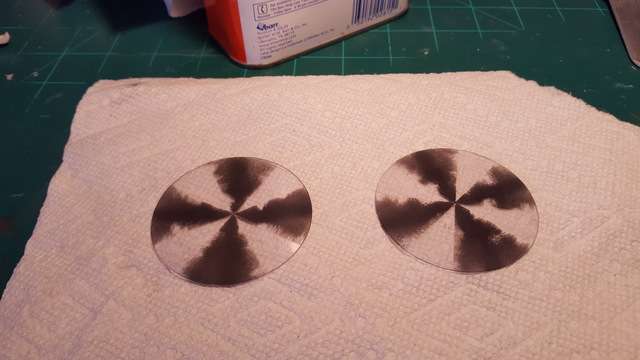
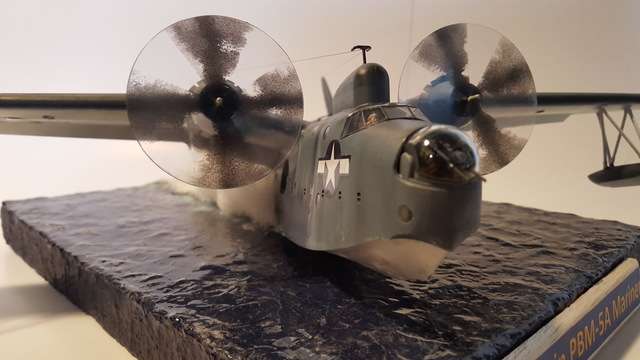
Another approach would be to cut a clear disc the diameter of the prop you want to have spinning. It doesn’t have to be thick, the blades in that scale aren’t very thick. I would mean you would have to cut off the kit’s blades and maybe even cut the blade attachments in have and then glue the three parts together evenly.
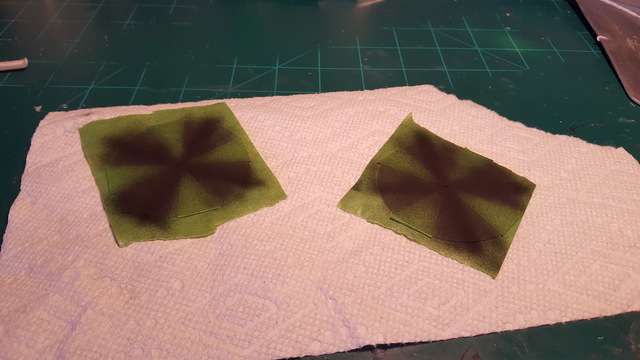
At this point you have the option of just letting the disc stay clear or trying to simulate the spinning effect. If you have a box top with a picture of the aircraft in flight, hopefully showing the front, that will be your guide to paint the prop effect. You will need to experiment on paper with a pencil, and or scrap plastic sheets with paint until you are ready. Thinking about it, an acrylic or oil paint in a tube might work better than a bottle because it’s thicker and takes longer to dry. This will give you time to set your prop blur tha way you want it. If you decide to go this way, I have some clear plastic sheets you can have to make your discs. You will also need to learn how to use a compas with a swivel blade to cut your circles. If not a swivel blade, an X-Acto blade with a sharp point, somewhere inthe area of a #11 should do. I don’t know where you live but some craft or office supply stores my have mechanical drawing equipment.
Many thanks for your help and advice, i am going to get a few 48mm disks of 3mm clear sheet cut out using a hole saw and then practice painting them. I would have attached a photo of the diorama but not sure how to do that , sorry. Many thanks again , Mick ,North East Scotland.
the thing in cell phones or pagers which produce the vibration. Pull off the excentric weight. Mount the motor in the engine space and run the wires down to the base & a battery pack (AA size). Mount the prop on the motor shaft.
You should be able to find a pager motor in an electronic surplus supply shop (or try eBay)
It sounds like you may be JROTC. This may be a good engineering intro which could serve you well in your future
If you have a good photo editing program, you can make realistic prop blur image. It can then be printed on clear decal paper to make a decal that can be placed on a clear plastic disk of proper diameter.
Scan the kit propeller. Make any color corrections. Then invoke a rotation blur function, with center of rotation at center of prop image, and amount of blur to suit. Print out image on decal paper, apply decal to clear disk. Mount disk in place of propeller, adding kit hub.
You know what a quad copter or octocopter is , right ? Find the true toy ones in the closest Discount store and use the motors from that .You could then do a B-17 if you wanted or a B-24 ? Good luck on the project . T.B.
Personaly, I have yet to find a GREAT solution to the issue. “Prop Blur” is a good effect, at a distance. I’ve never really cared much for the clear disc…even the best ones I’ve seen just didn’t quite do it for me. Actually motorizing the prop is the best effect, but is not always very practical in the long run. I just leave the blades out and fill the holes where they would go.
Then there’s the “snap-shot in time” argument…
This airplane is very clearly flying, no doubt…check them props!
Anyway…if ya go with the clear disc…I’d recommend getting a circle cutter. Micheals (probably any craft store) has them for about 5 bucks. “Olfa” is the brand I have. It is quite handy to have at the bench, and gets regular use.
I deal with that problem by having my aircraft parked, engines off. No prop blur, no moving prop…no flying airplane. Hey, they do stand still sometimes…[:D]
putting in motors now is not really an option but i think i will try the disk approuch. The model has been built by our Air cadet squadron ad many have never built a plastic model before let alone water details.
Thank you everyone for the help and we truly appriciate it . [:)]
Don’t know what rules the judges were using (IPMS, etc…) but based in most criteria I’ve seen they should not have deducted points from your dio because of this issue…sounds like you got robbed because of poor judging…
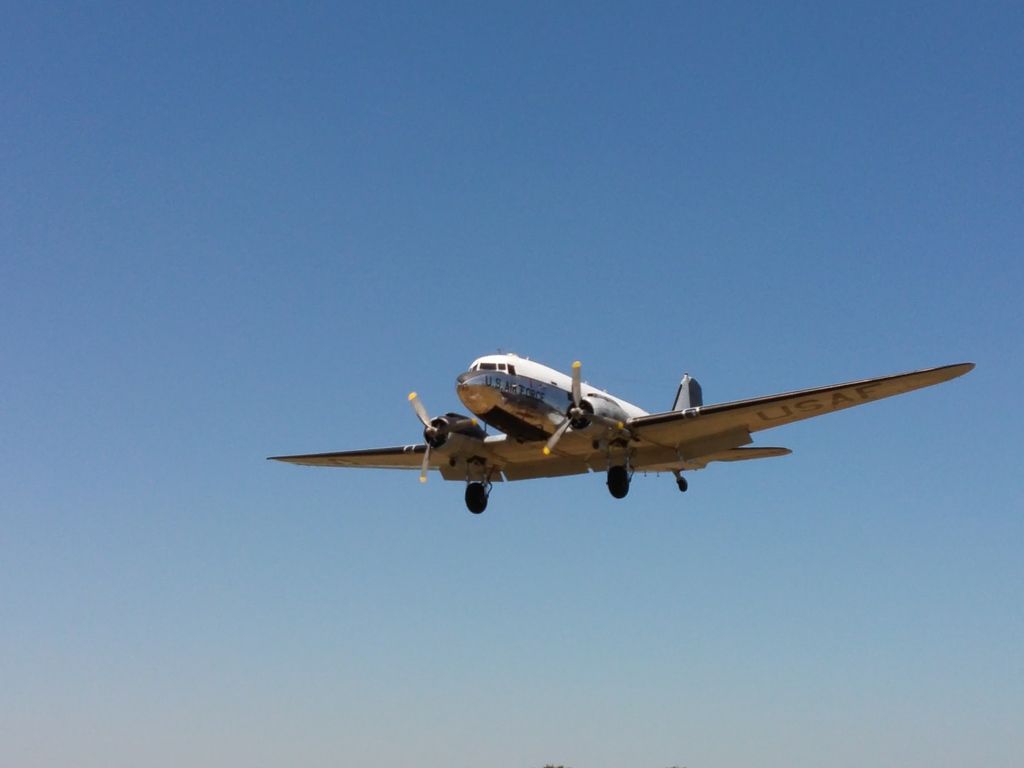
The blur is a function of shutter speed in a camera. In automatic exposure your camera sets shutter speed and lens aperture according to a program in their computer chip. As digital cameras get faster and faster (meaning more light sensitive) they are indeed stopping propellers more than older ones. If you have a camera with manual options you have the choice of stopping or blurring the prop. The human eye has an equivalent shutter speed of about 1/30 to 1/60 second, which definitely will blur most props.