1:48 Battleship New Jersey Animated Steering Gear Model Start-to-Finish Build

Every time I look at this project, I’m blown away by the design and construction.

Having never worked with 3D-printed resin, though, this is something I hadn’t thought about. If styrene doesn’t bond particularly well with CA or epoxy, and regular solvent cement won’t work on the resin, is the idea that the screws will provide enough clamping pressure for the epoxy to get a good bond?

That’s a problem I never would have even considered. And now you’ve got me thinking, because I’ve got some custom resin figures coming that I’m going to have to glue down. Apparently I need to start paying attention to how I’m going to do that, too.

It does bond, and usually holds like heck in places where you don’t want it. But you do need to use accelerator and roungh up the styrene surface.

After getting the framing drawings from John Miano, I got down to business drawing them in 3D. The first thing I noticed was their quality. Not good. I could barely make out any text, but just enough to make out a few dimensions that I could use for scaling. That brings up the second challenge. I would scale the drawing to a specific measure, for example: 4’-O". I would draw the part. Then I find that on the other end of the sheet with another 4’ dimension, it measured 3’-9". I found out from John that the microfilm transcription sometimes warps the microfilm. I then had to individually scale each frame on the sheet to ensure that they’re based on the same scale.

Lastly there was a 3rd challenge. The 1:32 scale frames came out to over 11" wide. No material what I did, that sized part will not fit on my machine. I then started working on Plan B; sending scaled 2D profiles to CorelDraw and drawing them for auto-scribing the shapes on the digital vinyl cutter. This would have taken a ton of time. Then when visiting the shop this morning, I realized I could break down each frame into parts to fit the printer. That is what I’m doing.

You will notice that the parts of the longitudinal members are included in the drawing and being printed with them. This serves two purposed: it automatically sets the frame spacing for assembly and ensures that all these pieces are shaped and positioned properly. In communications with John he explained that the longitudinal are installed in long sheets and it’s the frames that are welded in pieces to them. I conceived it in reverse. Actually, to build the model prototypically would have been much more difficult.

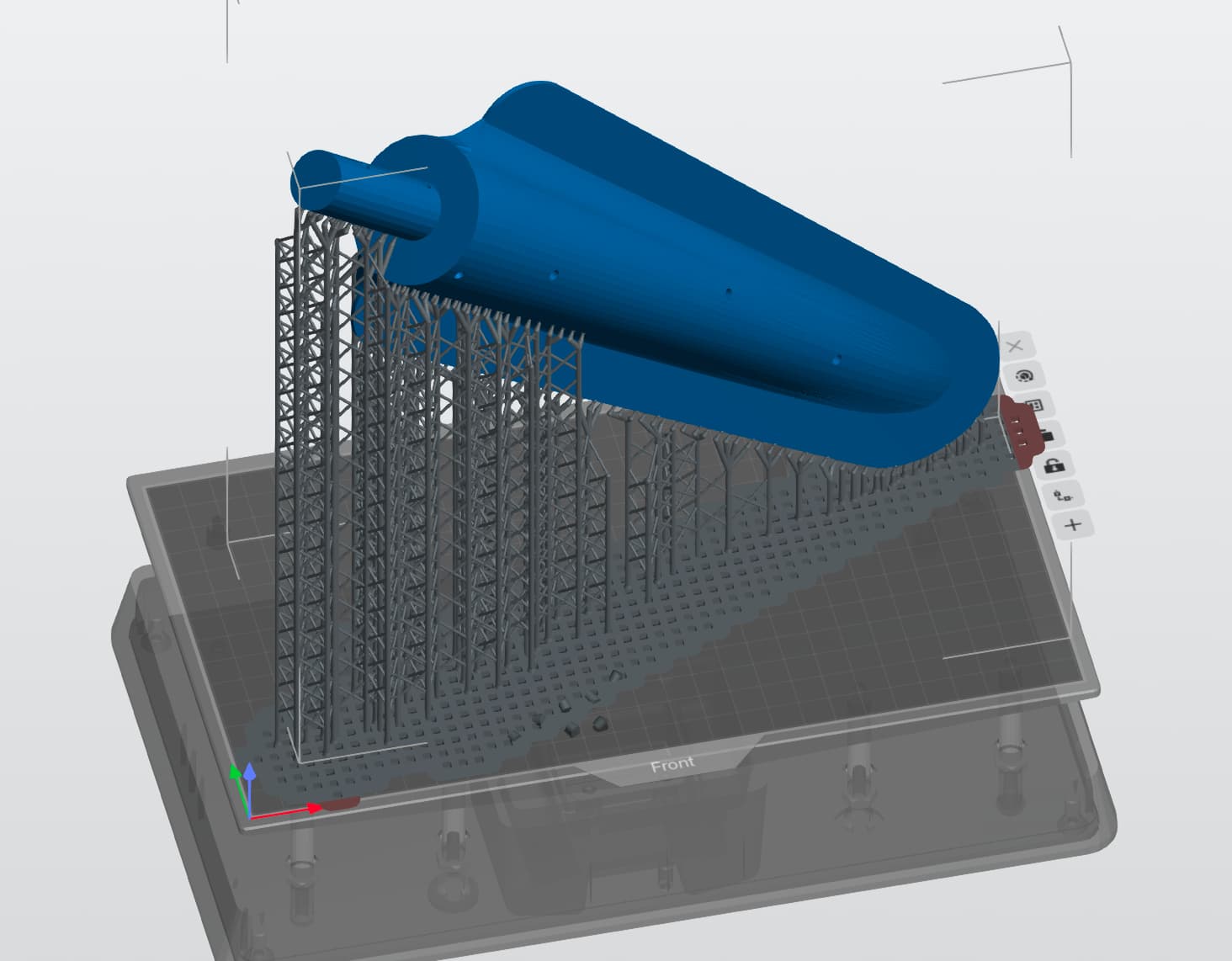
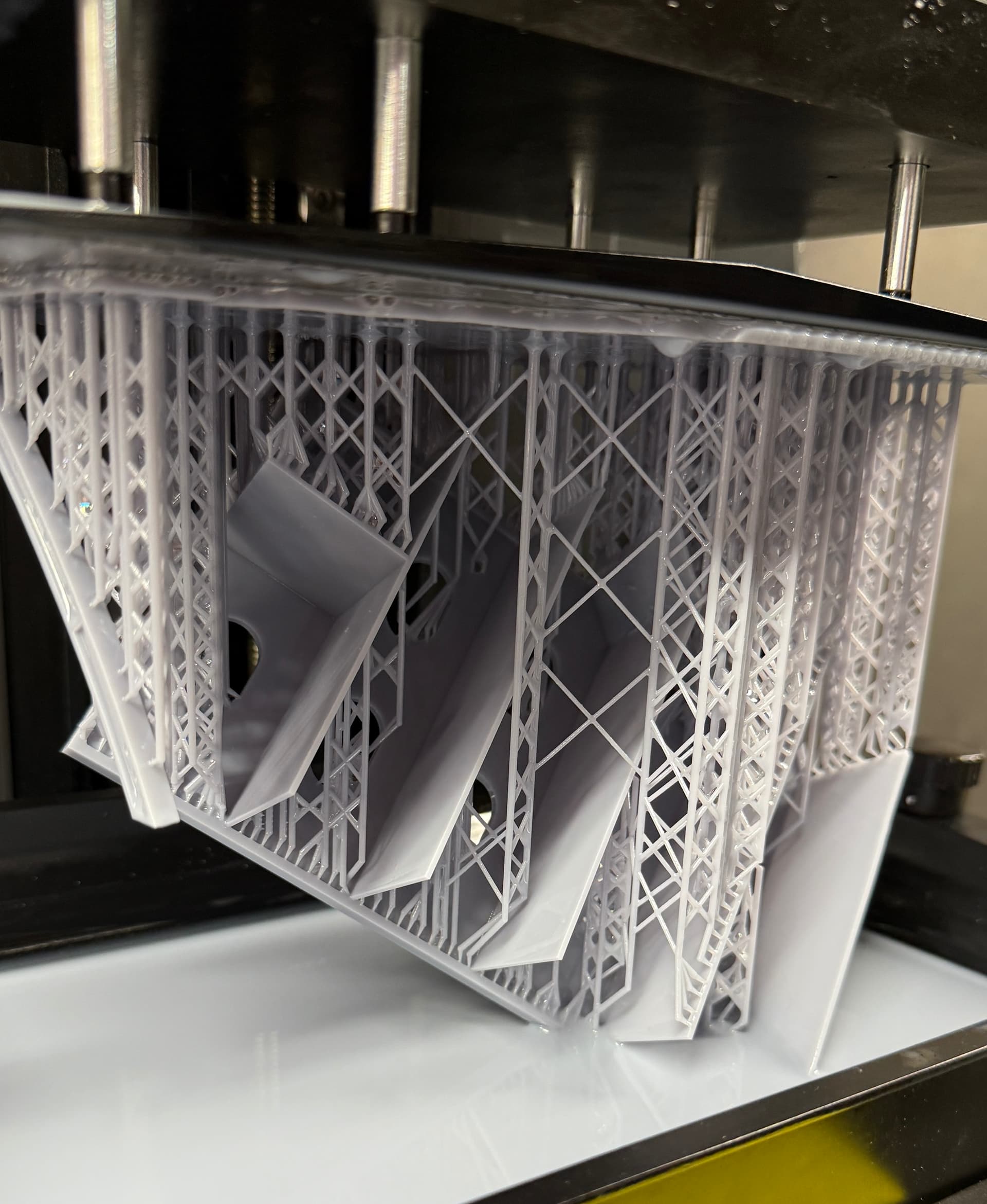
I can get two frame parts of the four onto the printer and this image shows the job almost complete.

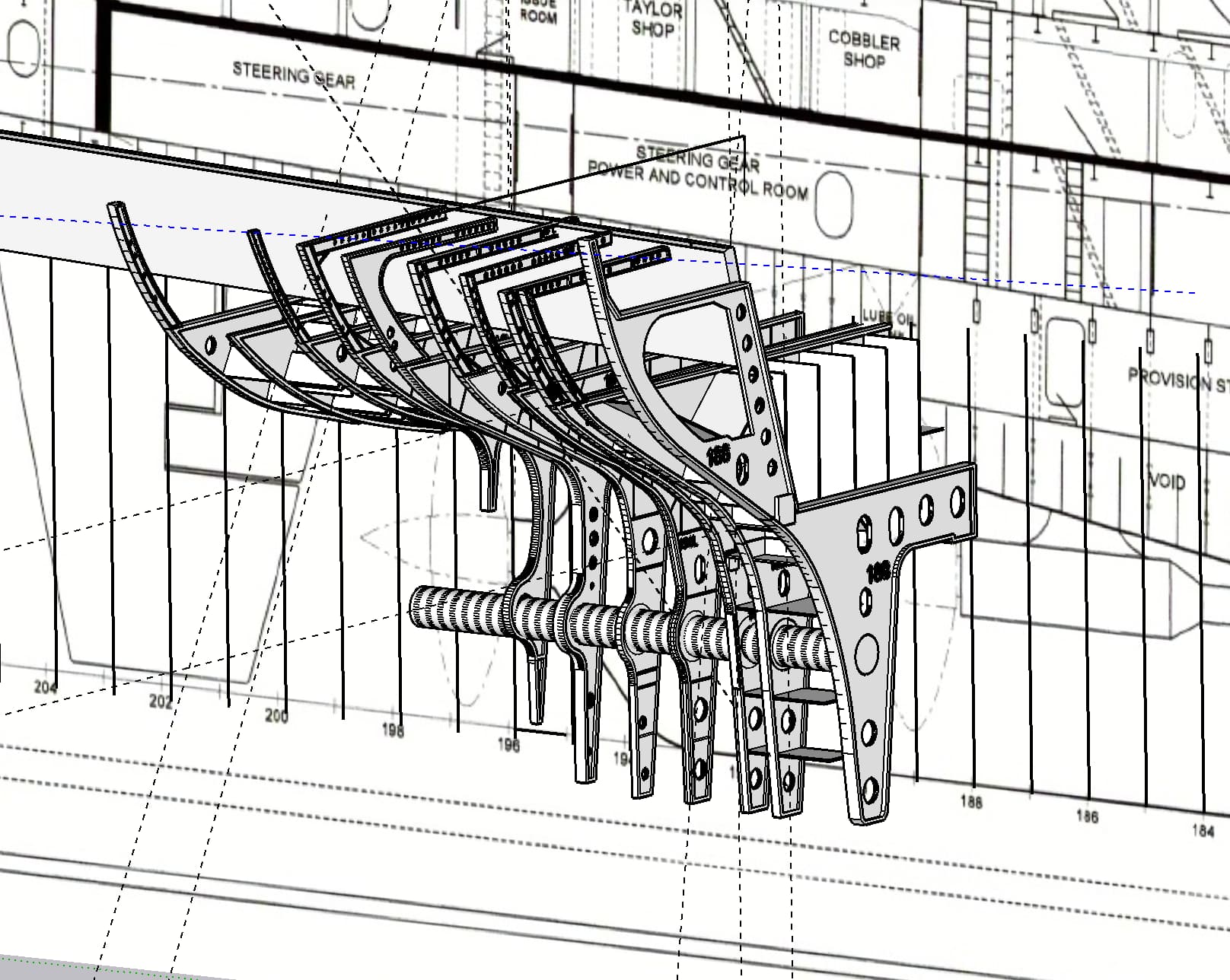
Lastly, here’s the progress so far. If you’re paying attention, you will note that the frames are not lining up vertically with the section diagram of the ship. They are situated much lower. Turns out that this diagram, that I have been using for lots of New Jersey projects, is not correct. It’s an illustration, not a blue print. I know that the frames are correct since they are drawn from builder’s plans.

The plans have the bulges on the sides of the skeg portion. The plans call this the “Twin Keel”. Actually, those bulges on the ship are the massive prop fairing casting which I’m printing separately. So everywhere I drew them according to the plan, I’m removing while editing each frame for printing.

This project is starting to cost some $$$. I have to buy heavy 1/4 plexiglass to make the support, case and base materials, and sheet styrene for the skinning of all the parts.
2 Likes

That sounds like quite the undertaking. I’m really impressed with how far you’re digging into the original plans to get all of this right.

It’s amazing how often we assume that because something is in a drawing, reference, decal sheet, or whatever, it must be accurate—until you start comparing sources and discover they don’t even agree with each other.

I can certainly relate to falling down that particular rabbit hole, although what you’re doing here is on a whole different level. :grinning_face_with_smiling_eyes:

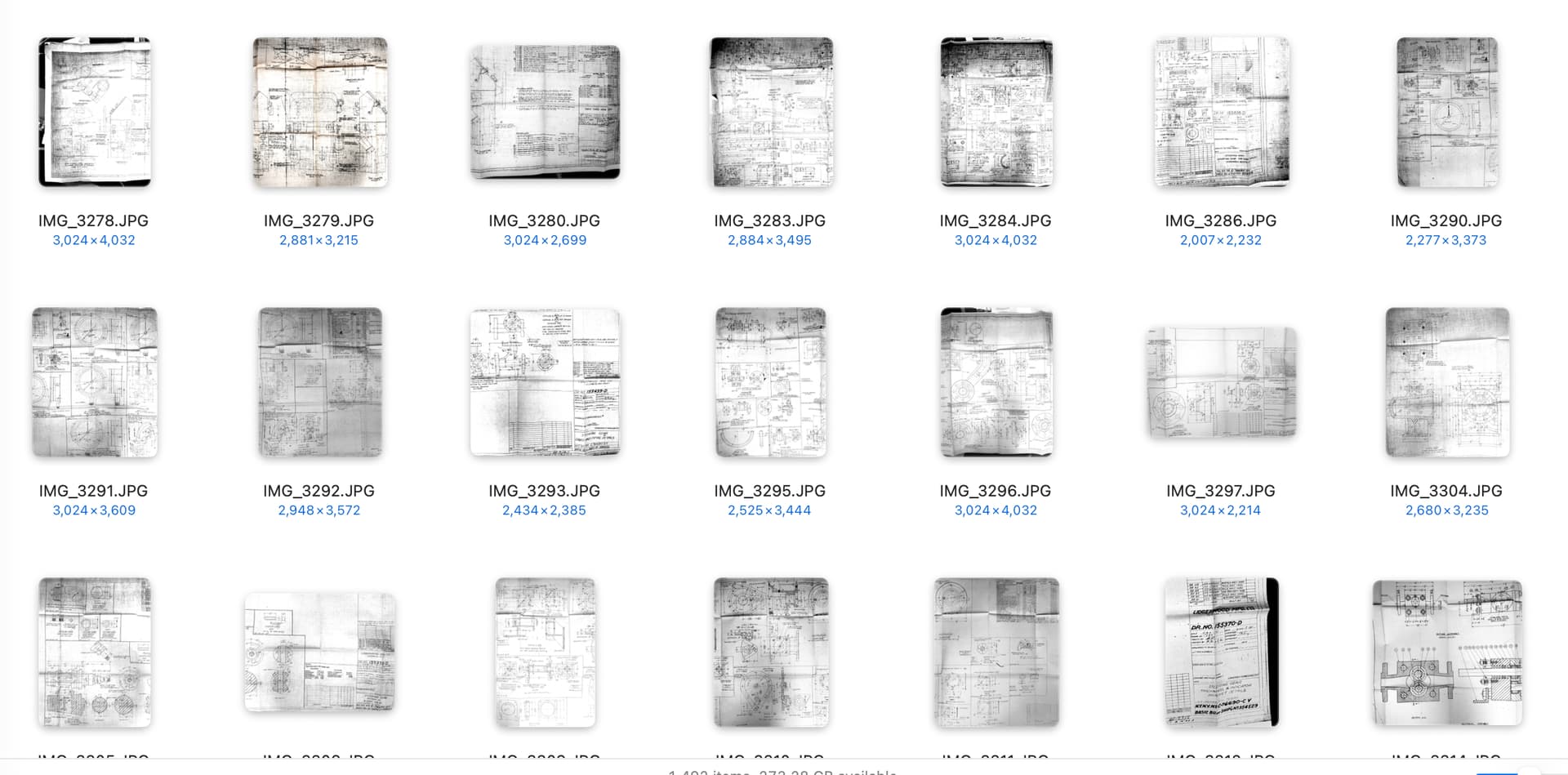
Thanks for the moral support! I’m figuring all this out as I go. With each new piece of puzzle I have to reconsider what I’m doing. On Friday, Ryan sent me 99 images representing many of the drawings of the hydraulics section. Due to the width of these original blueprints (held in the ship’s “Blueprint Room” next to Ryan’s office) he had to take multiple exposures of each on. There’s actually around 25 actual drawings involved.

For them to be usable I had to import them and then… hopefully…clean them up so I can read and trace over top of the them.

This is what it looks llke in my file directory. This is not all of them.

Many have details that I don’t need like specific designs of gear boxes, etc., but reading them all is interesting in its own right. For example: the Navy calls the massive hydraulic rams “Servos”. I suppose they do what a servo does, but that would mean all hydraulic actuators are “servos.” It also have the actual pipe runs for ALL the piping including the critical high pressure lines. They’re interesting too. There’s one pipe that goes to the starboard fore cylinder and the port aft, and another that does the opposite. There are T’s that carry the fluid to the first end and then to the other. This means the opposing ends get exactly the same flow giving the push-pull force needed. And there’s two identical pump systems in each rudder system. Only one pump is running at any time. They are switched over for maintenance and there’s a 6-way valve that controls this. There’s a whole page of plans on the control lever system that operates that valve.

I’m going to have to meld plans from the same sheets together to give me complete drawings. That won’t be easy since there’s a lot of distortion introduce by the creases in the plans. It would have been better if they were photographed under a sheet of plate glass to flatten them out. But, hey, I can’t complain.

Designing the frames has been somewhat nightmarish due to the changing of scale from one to the other. I’m redrawing all of them since I could tell there were significant errors. They weren’t lining up properly due to scale size differences between them.

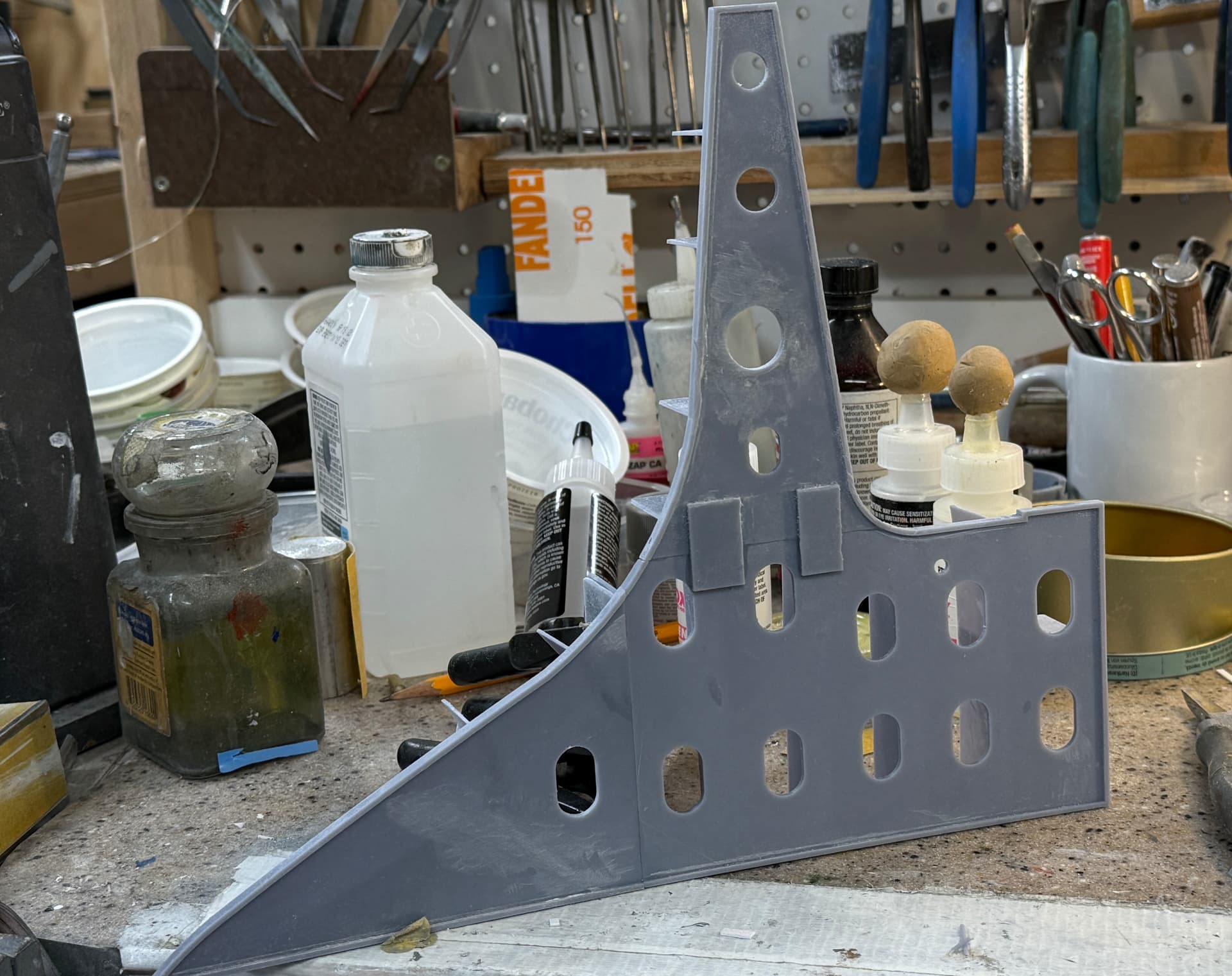
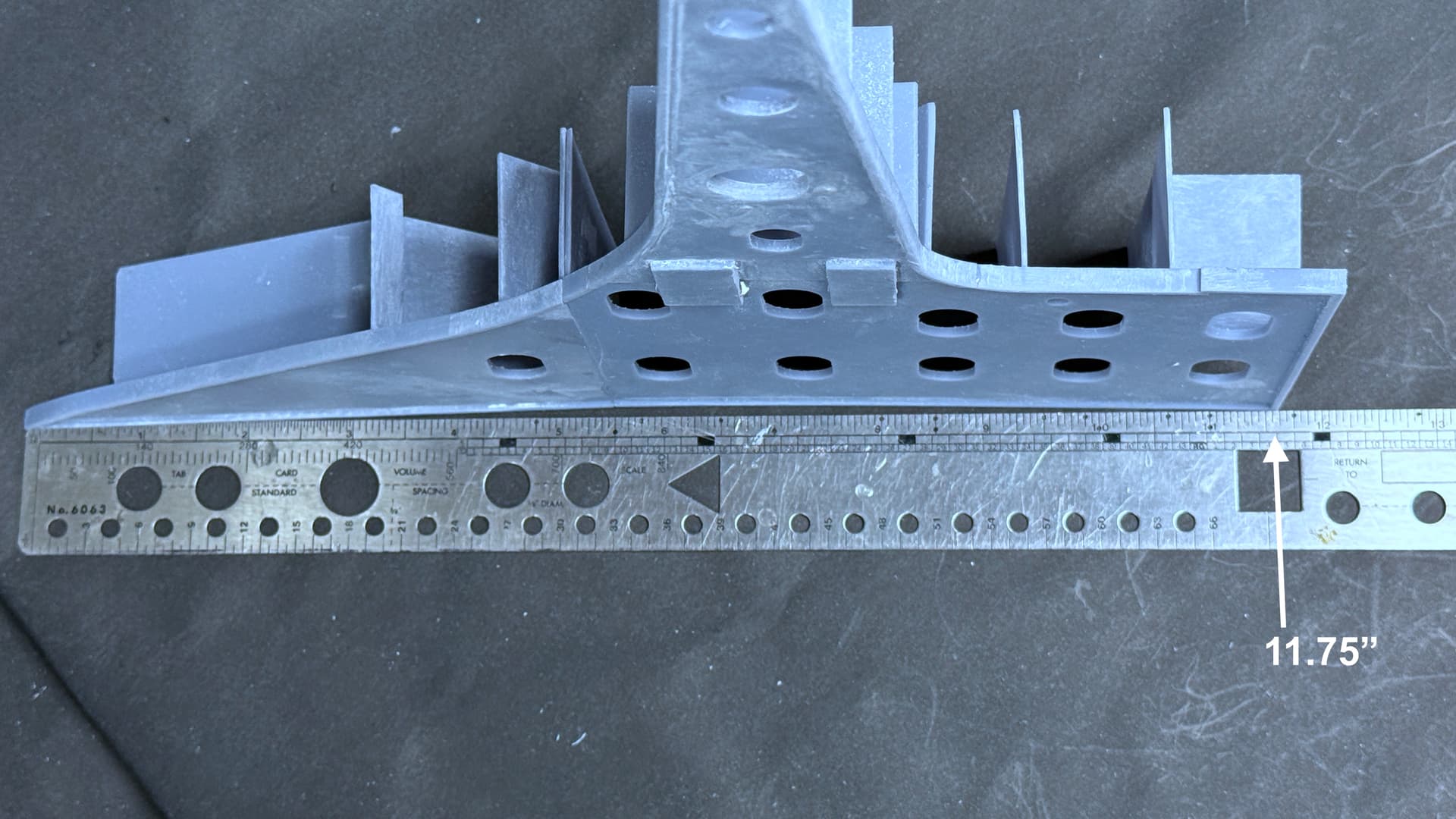
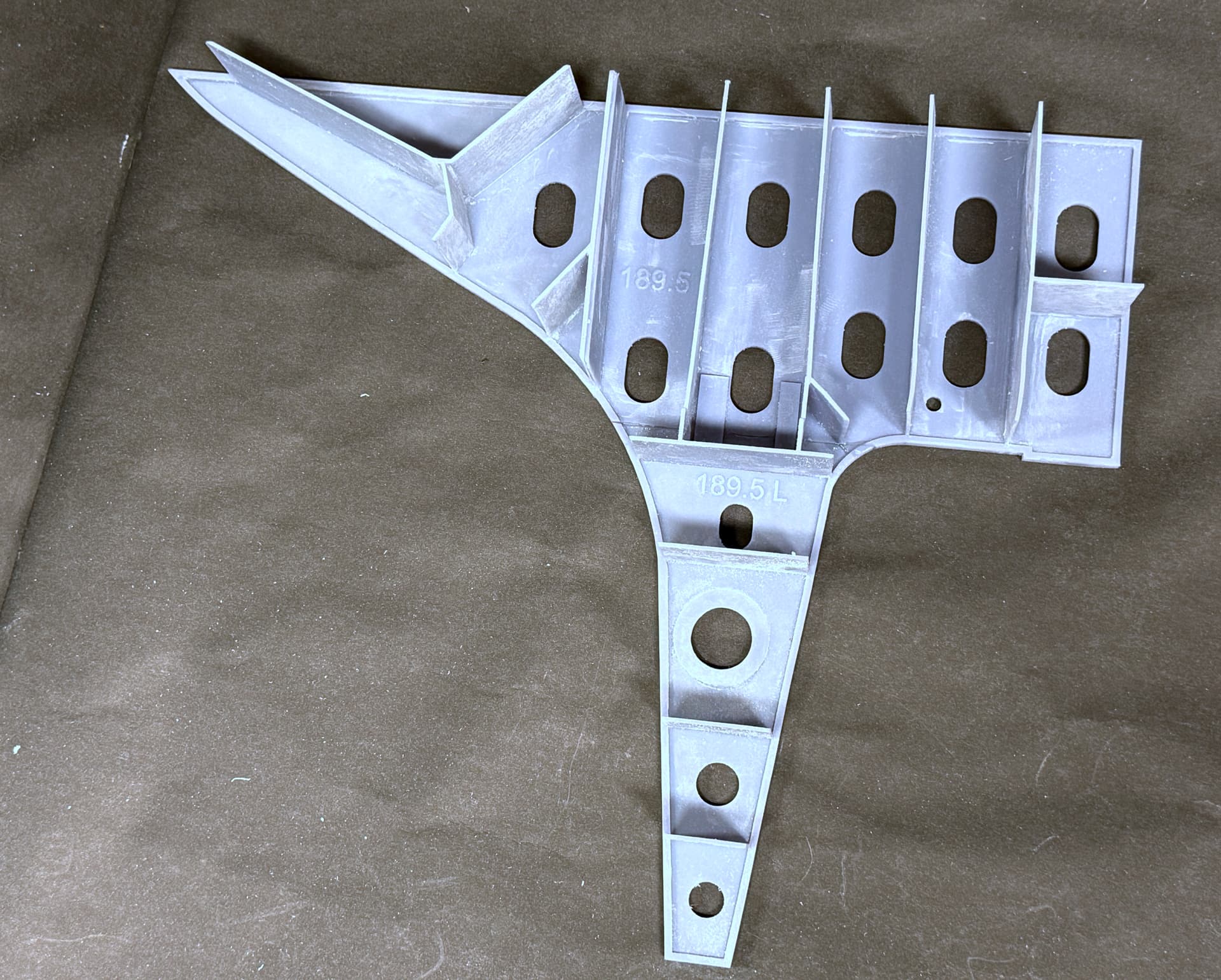
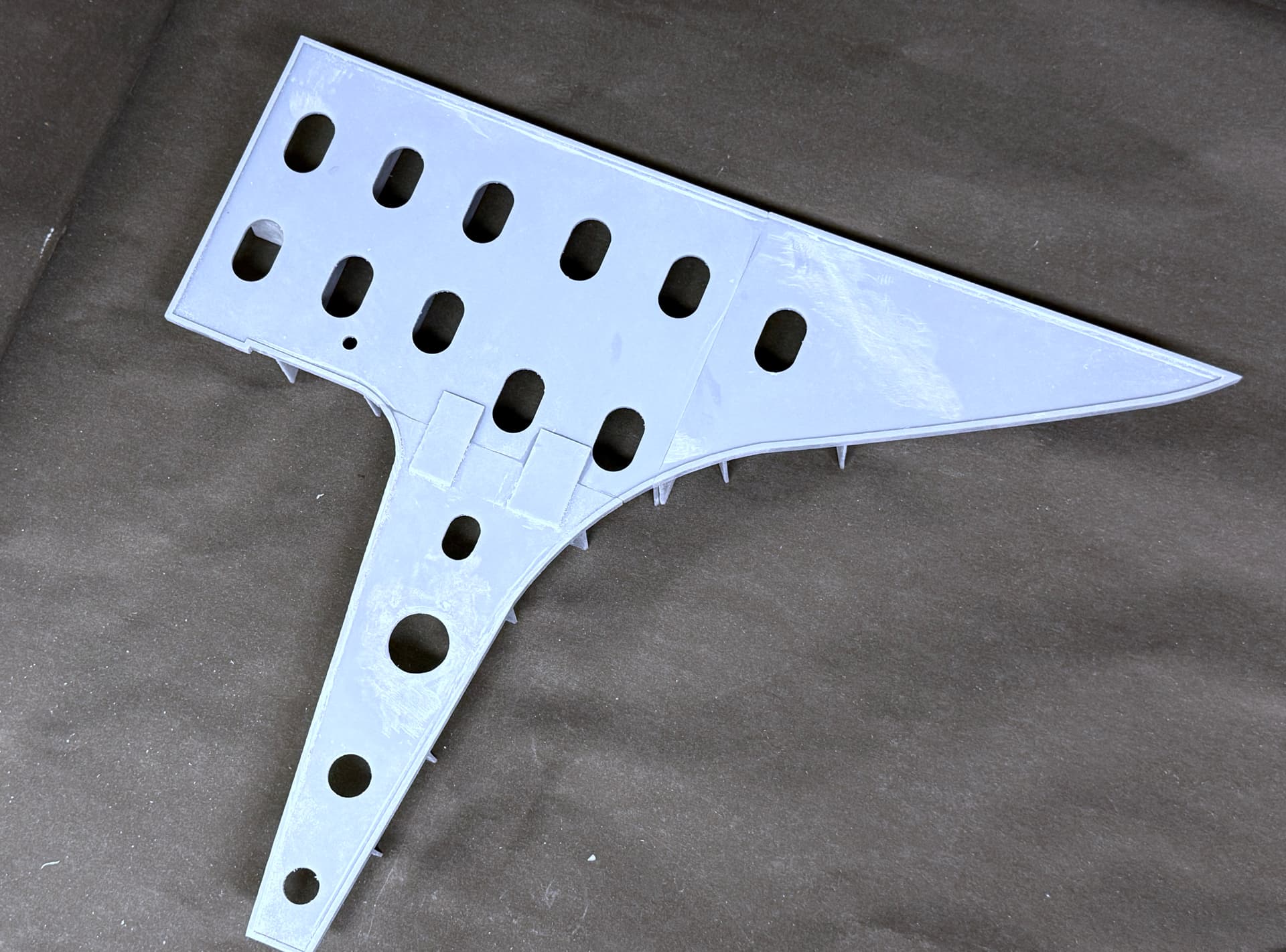
The first one is complete. I used epoxy on the mating surfaces and it worked as designed.

And it’s huge! Almost 12". The finished model will be about 18" wide.

The longitudinals are 3’ 9" long (scale) giving the four foot separation of the frames when you add their thicknesses.

One down and 15 more to go… Ugh!

5 Likes

Wow. Seeing the actual plans really puts the scope of this project into perspective.

Ninety-nine images just to capture roughly 25 drawings, and then you still have to piece all of that information together and turn it into something you can actually use to build the model.

That’s an impressive amount of work before you even get to the actual modeling.

1 Like

what you are doing , is above my pay grade , just something to behold .

I believe it’s even beyond mine.

A new week… new challenges. I’ve gotten 90% of the frames drawn and fit in the drawing. I’m not printing anything until I’m sure that the drawings are correct. This project is eating a lot of resin and don’t want to waste any.

The hardest part is fitting the frames around the rudder bearing. The drawings are a bit ambiguous and I had to spend a lot of time understanding them.

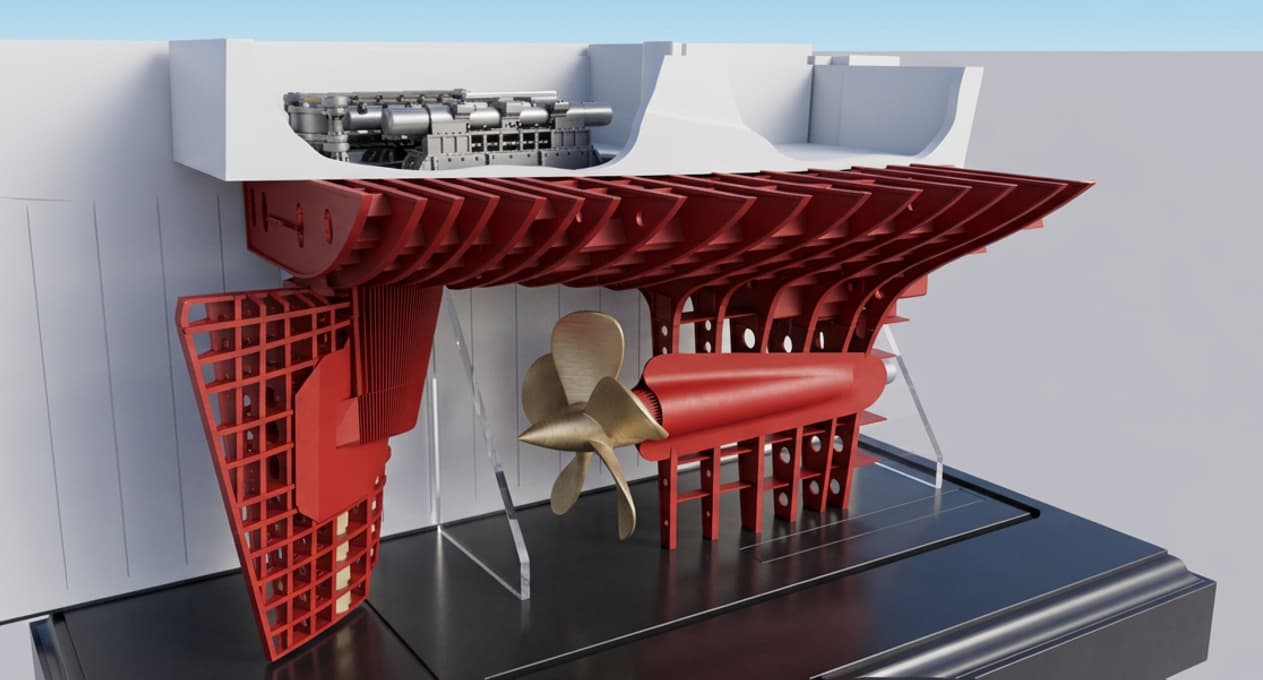
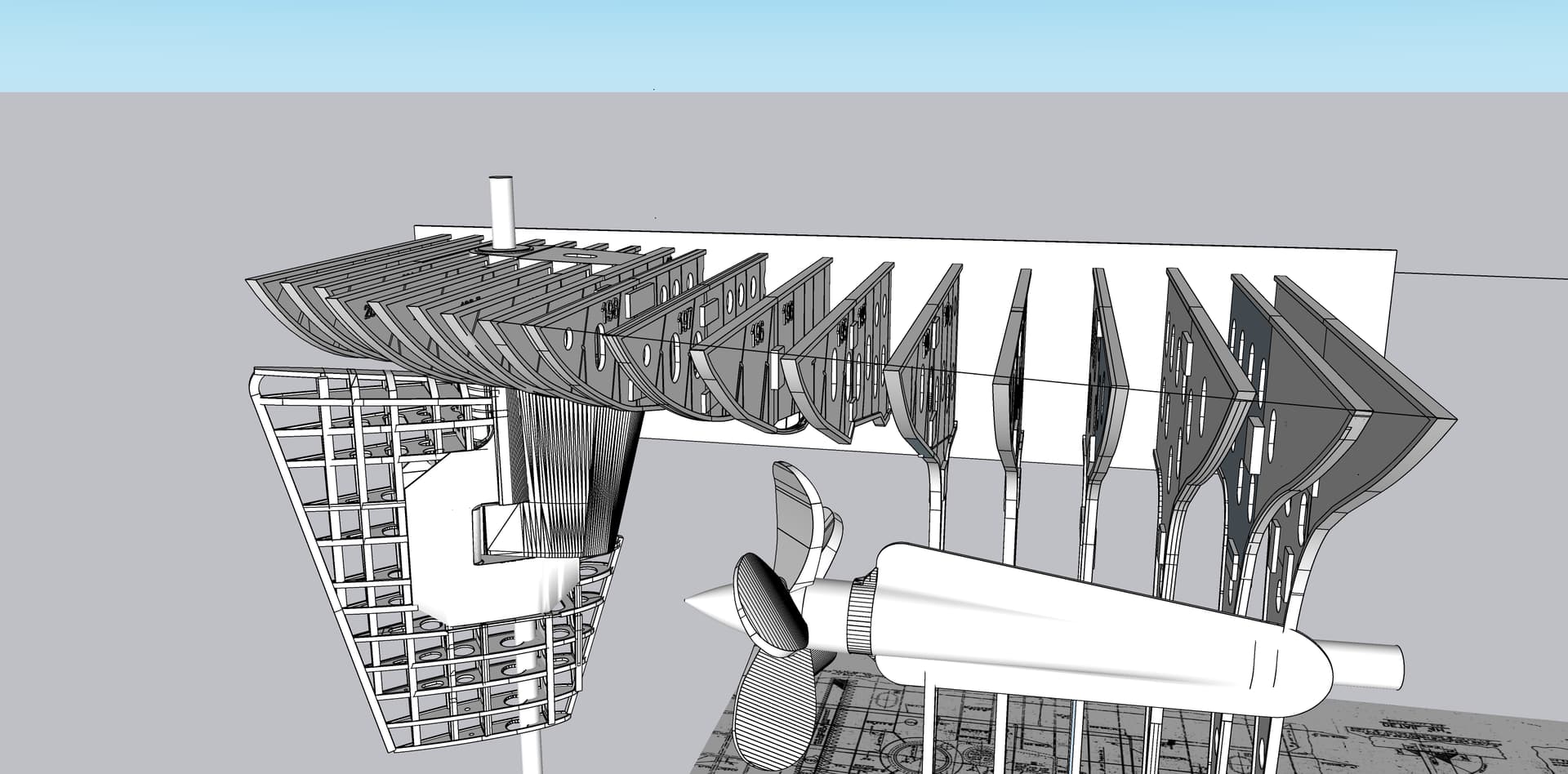
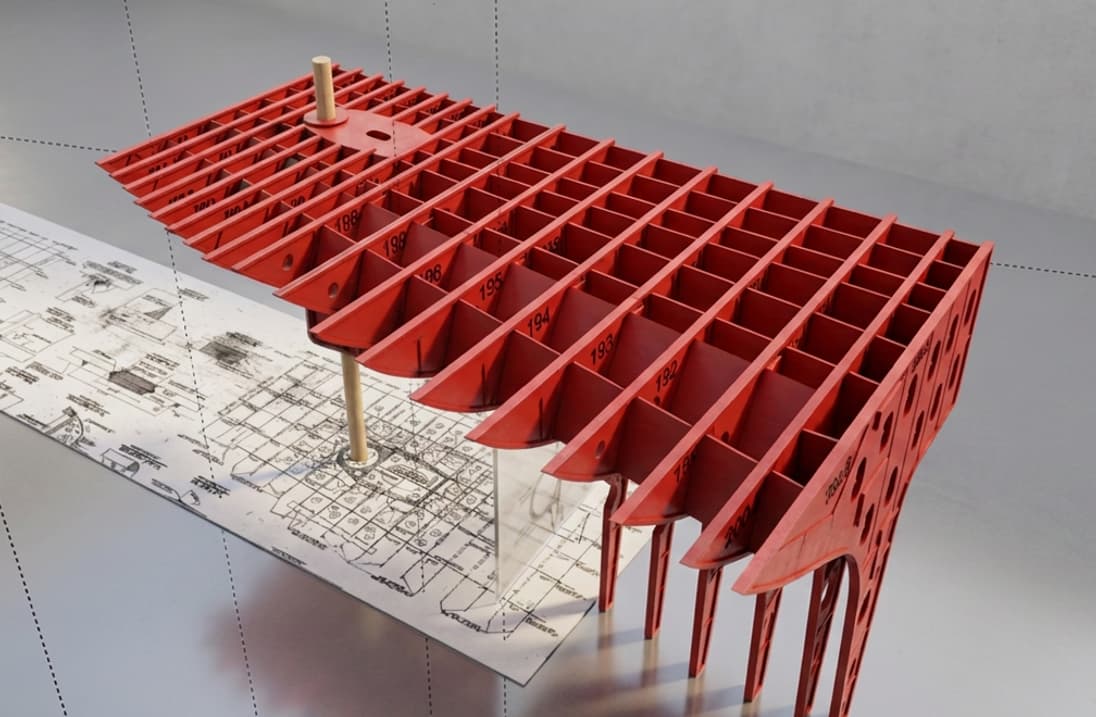
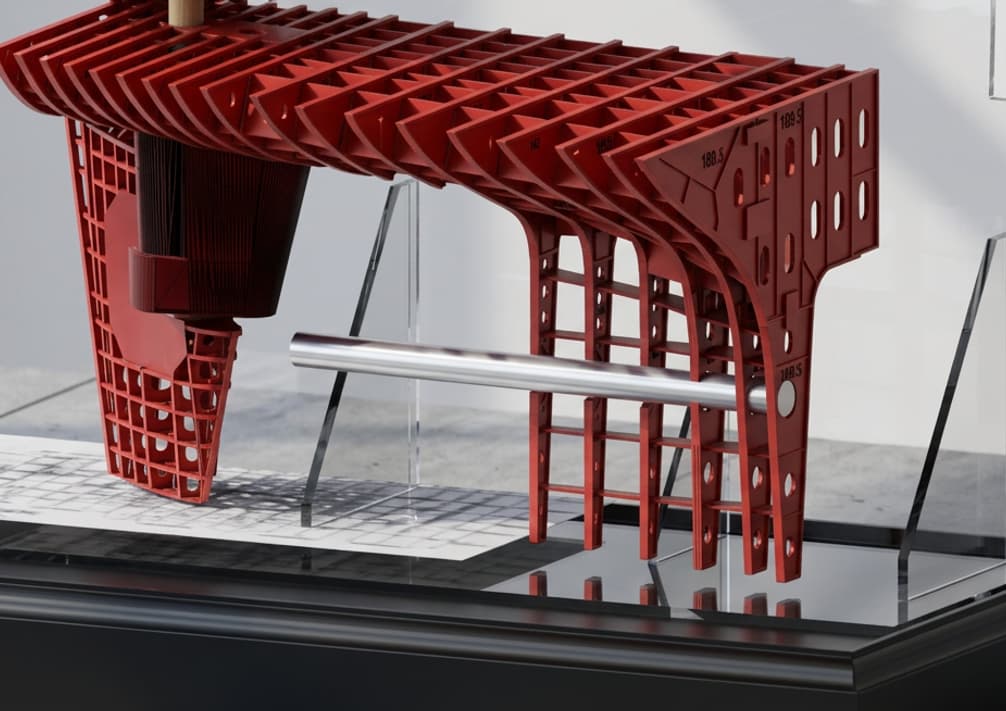
The newest interation of SketchUp has an AI rendering engine. I gave it a test run today. Produces a nice render… not as sophisticated as my VRay sub-program, but does some things well. This is what’s drawn so far. Most of the frames are broken into two or three parts, but the ones in the aft section and those wrapping around the rudder bearing don’t need all that fussing as they fit as is.

The real frames are thin plate steel with a welded this plate flange arond the perimeter and encircling each manhole. While the printer could replicate these cross-sections, their longevity would be suspect. I’ve attempted to make scale structures, but breakage becomes a major attemtion grabber. Viewers will not mind, especially with the animation and the complexity of the mechinery.

I drew the frames full and then intersected their faces with the rudder hub. Cut away all those that interfered, and closed all the open edges to make them solid again for printing. Time consuming and a bit finicky.

Here’s the AI rendering.

So dear readers, what do you think if I decided to leave the frames open as you see here? I could skin part or skin the entire thing and make some cutaway openings. Not skinning would save me some $$. Sheet styrene is expensive.

Later this week I may do some printing, but we’re taking a short trip Back East to visit family next week.

3 Likes

First of all, this looks way cooler than I had visualized it would when you were showing us the drawings. It really is like watching a blueprint come to life.

And absolutely leave it open and unskinned. Being able to see all of that structure and how everything fits together is what makes this so cool. I think you’d lose a lot of what makes it special if you covered any of it up.

Totally agree with Sam. If I wanted to see it covered up, I could look at a picture of the hull in dry dock. Leaving the frames exposed let’s the viewer see the full amount of work that went into building this ship, not to mention the model.
Looks fantastic.
Bob

1 Like

The consensus is to leave it skeletal. Now that creates more work, but that’s okay.

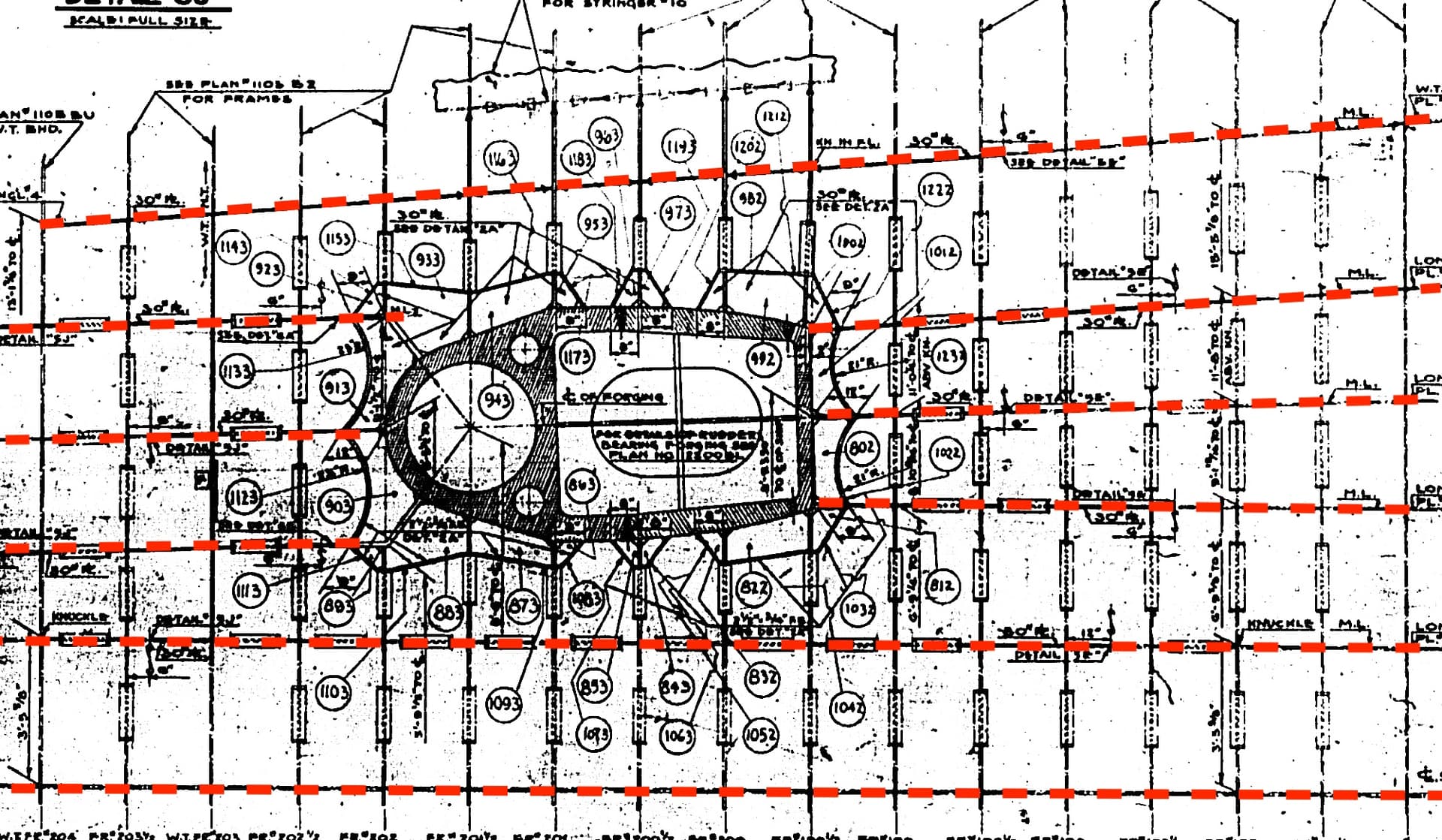
This drawing with the red, dashed lines shows the longitudinal plating that runs the length of the ship’s framing in this area. Notice that they are not parallel, but rather follow the ship’s lines. In my original design, I extruded these from the frames themselves leaving me with panels that were parallel with each other AND incorrect. Since I was planning on skinning the hull, that disrepency would have gone unnoticed. Now with it all exposed I’m compelled to fix it.

Here’s how.

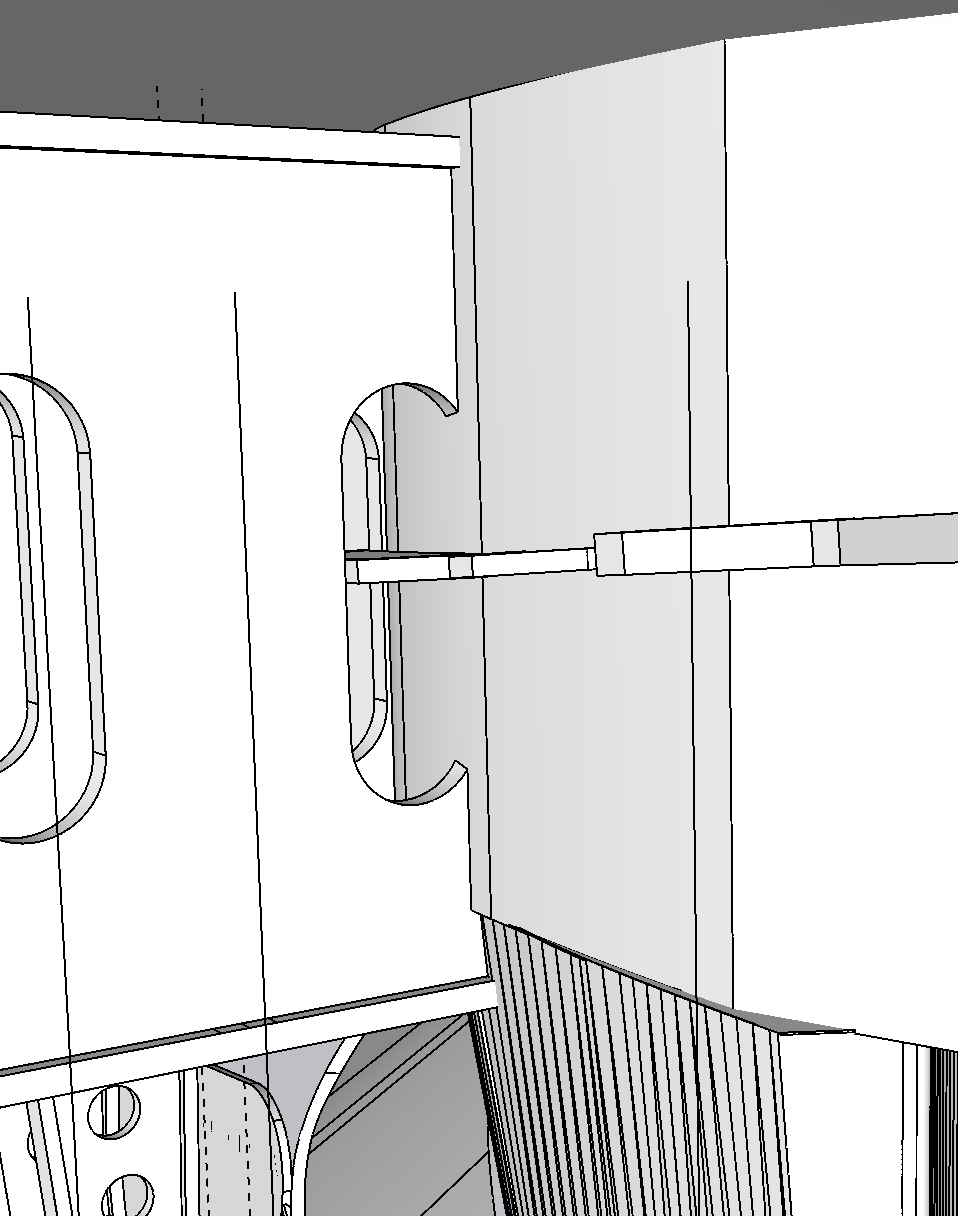
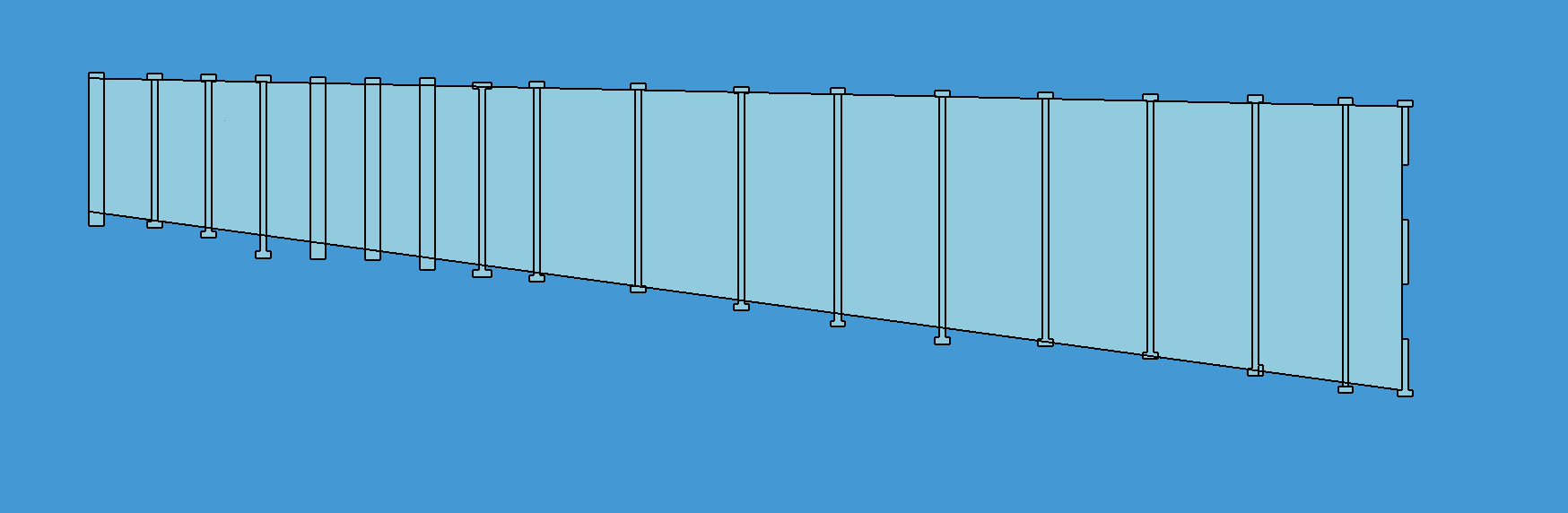
I first removed all the extruded longitudinal pieces that existed at each frame. On the real ship, it was the longitudinals that were continuous plates of steel and the frames were segmented and welded to them. I can’t do it that way. I’m segmenting the longitudinals onto solid frames. To establish their sizes and locations, I’m using a solid sheet and intersecting it will all the frames at each location and at each correct angle. First, I ensured that all the frames were where I wanted them to be. I had to adjust some of their scales plus or minus a few percentage points so they would give smooth transitions from one to the next.

The intersected plate looks like this.

The next step will be to extrude the plate to thicknss since it’s now only 2D, and then separate the plates from the frame outlines, cut and paste each to the corresponding frame to which they connect. I only have to attach them to one side. By cutting and pasting IN PLACE, the plate will be sitting in perfect contact with the frame and at the correct angle. The when the frames are printed with their associated longitundinal component, they will be correct.

Stay tuned.

3 Likes

Well, that’s what you get for asking! :joy: Now you’ve got even more work to do. But I think the end result is going to look spectacular! And what else do you have to do anyway? :joy:
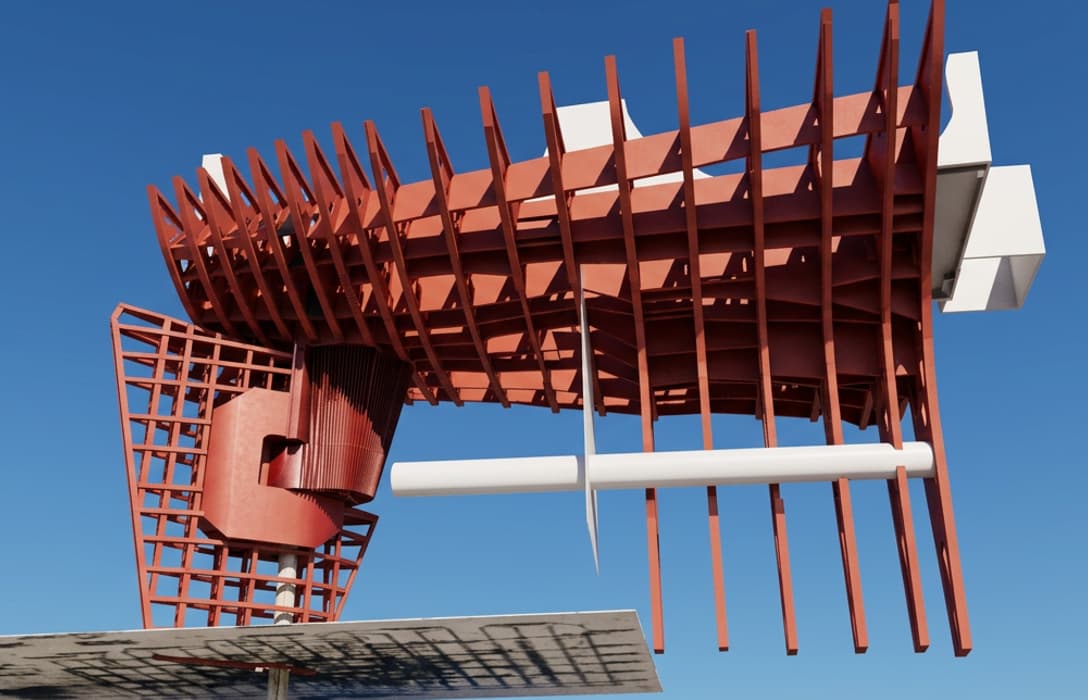
We had a nice trip back to Philly, short visit did not permit a visit to the Big J. I don’t need any more on site visits to finish the model.

It took a bit of time to use the new scheme to fit the longitudinals into the framing, but I finished that last night. They now form nice straight lines as they do on the 1:1 ship. They are not exact, but like a Monet, they give the correct “impression”.

The longitudinals are all attached to the frame on their left in the images. They will print with them. Assembling them around the rudder bearing will be tricky, but the frames are separate on the port and starboard sides and will slide into place from those directions. Even though the parts fit on the drawing, I’m anticipating a lot of filing and cutting of interferance areas.

I also have to order the heay plexiglass that will make up the support for the model. The frame will be attached to that plexiglass bracket. The local vendor I use can cut accurate pieces with a CNC router so I won’t have to worry about doing it by hand.

I’m not going to attempt to create the propeller end casting until the frame is completely done and aligned. Then I will shape the clay model to exactly fit into the space on the frame where it’s supposed to sit. Then I will scan it, finalize the drawing and print it.

3 Likes

I have to ask about the photo with the blue sky behind it — is that your partially assembled model photographed outside?

For a moment I honestly couldn’t tell whether I was looking at the model or a photo of the real structure. At 1/48, with all that framing, it gets surprisingly convincing.

And I got a kick out of your Monet comment. :joy: Up close, maybe every little structural piece isn’t perfect, but when you step back, the overall impression is what matters.

Those images were created from the drawings with the newly integrated AI Rendering tool in SketchUp 2026. They took about 30 seconds to produce and look awfully cool. I just told it to do it in a technical style. I also have VRay included with my SketchUp Studio subscription. VRay is more sophisticated with vast libraries of textures and objects. It has many, many lighting options as well. For what I do, it’s really too complex. The AI renderer is better for me. I just discovered it a couple of weeks ago.

1 Like

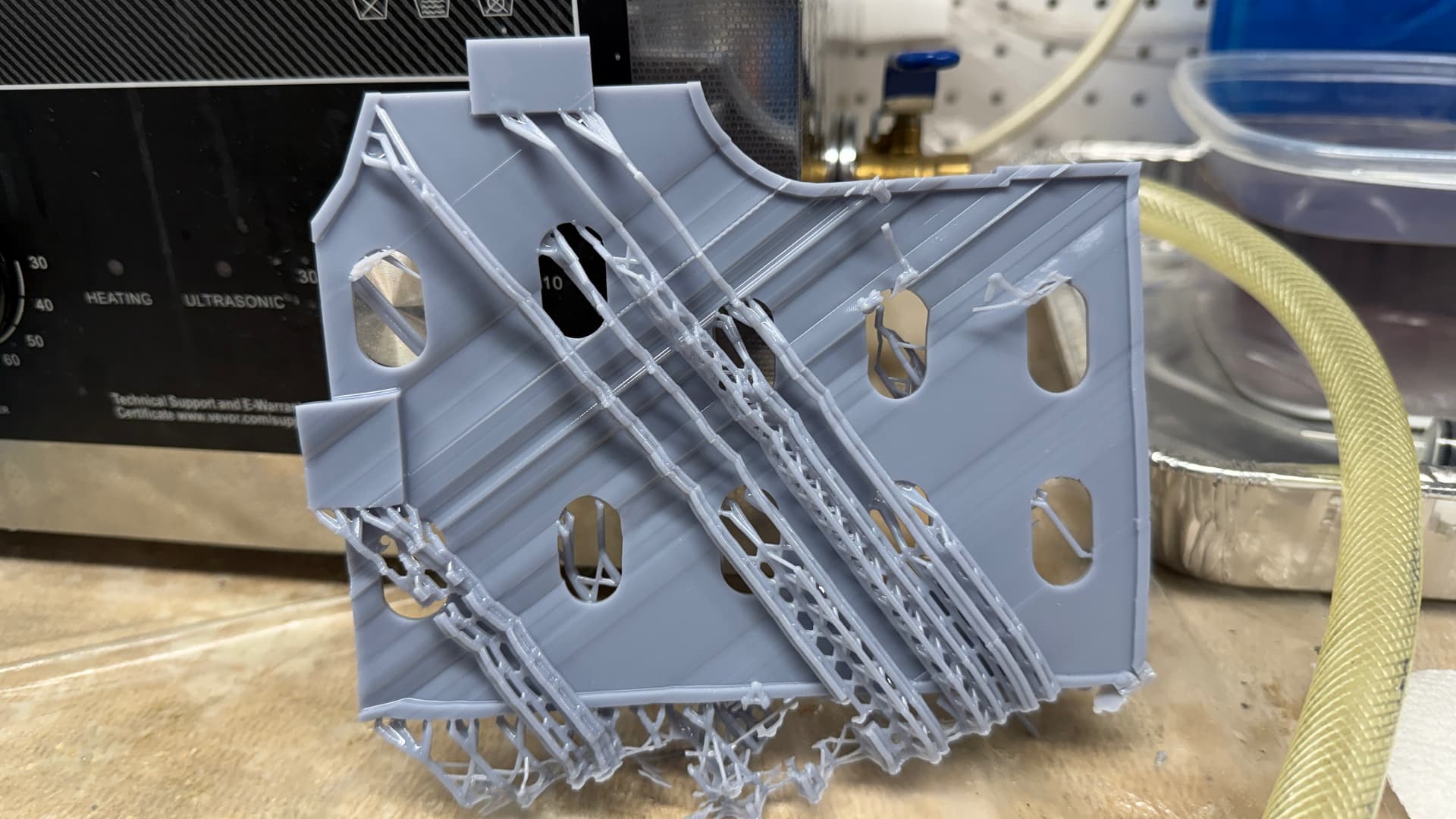
My next print job failed miserably. I thought I could get away with all medium supports except for the bottom most, but they failed. One part, the skeg portion, printed okay. The second, shown below, came out like something that goes very wrong in a Star Trek Transporter accident. And the last two ended up as large blobs on the barrier film at the vat bottom.

Something else may have been going on at the same time. When the build plate came down from the home position at the top of the x axis, it chattered badly as it approached the vat. That chatter could have caused some of the distortions you see. The cause, I am surmising, was the printer sitting idle for weeks and the slide lube might have been drying out. I lubricated the slides and lead screw and exercised the axis many times through the binding portion until it smoothed out.

The next print, finished and draining in the machine, came out flawlessly. I changed the support scheme to all heavies. Don’t know which variable was the root cause, but it’s solved.

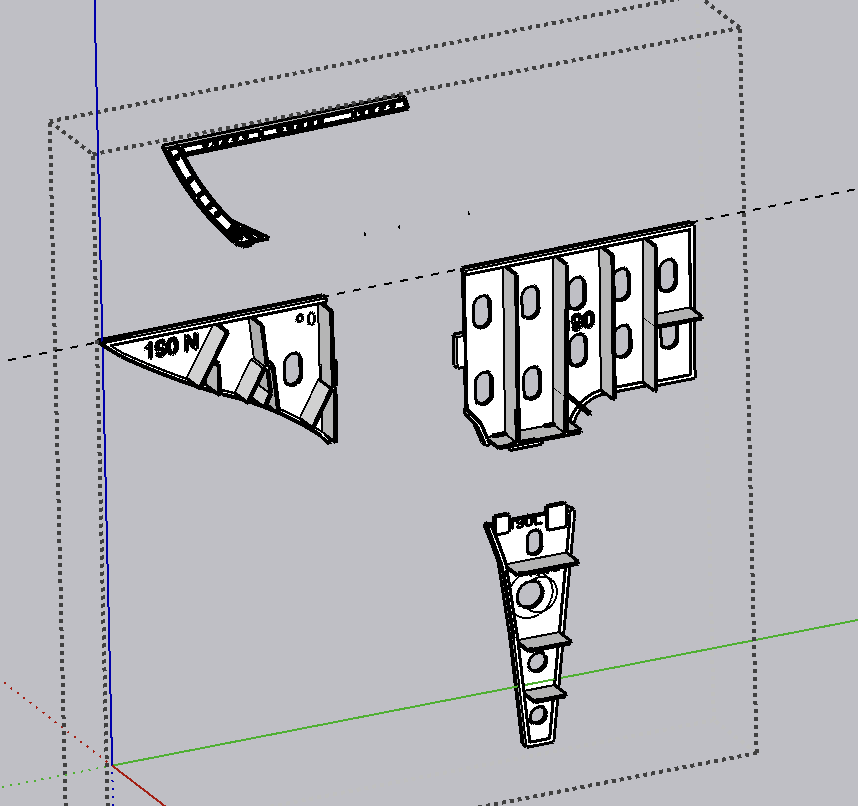
I realized that I forgot to add the longitudinals on the portions of the frames forming the skeg, so I took the time to add them and re-exported those as STLs for printing. It’s one print job per frame assembly until I get to the smaller ends and maybe I’ll get two per print. That’s a lot of prints, a lot of resin and a lot of days.

We’re heading out tomorrow very early on a short 4 day trip to Charleston SC. Work will commence on the day before election day. (in the USA).

2 Likes